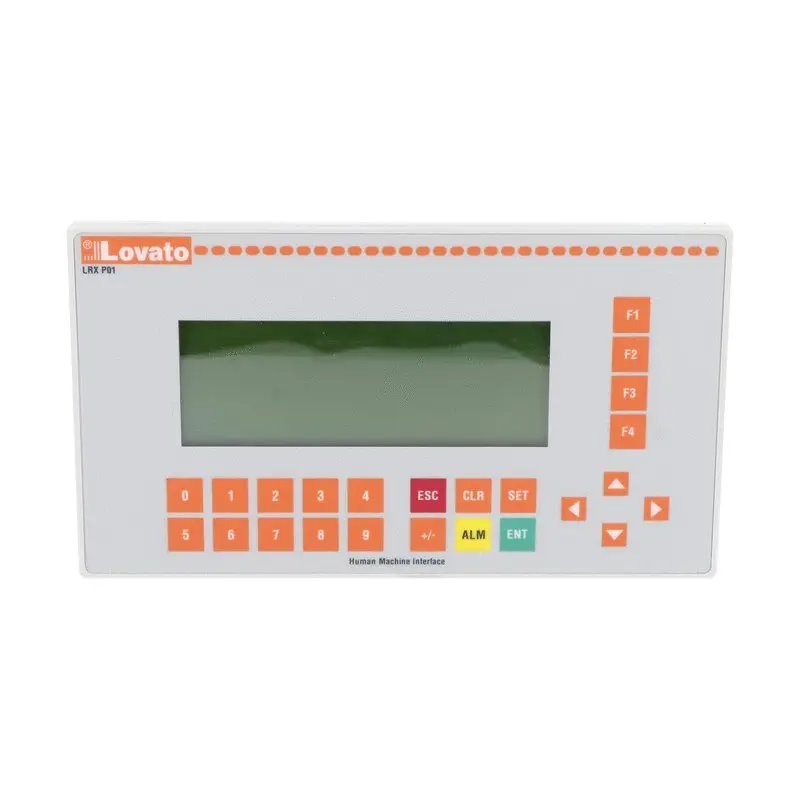
LRXP01 - Lovato - Micro PLC/HMI
Out of Stock - Backorder
To order from manufacturer
USD190.33

Import Taxes Excluded

You must be logged

LRXP01 - Lovato - Micro PLC/HMI

Lovato
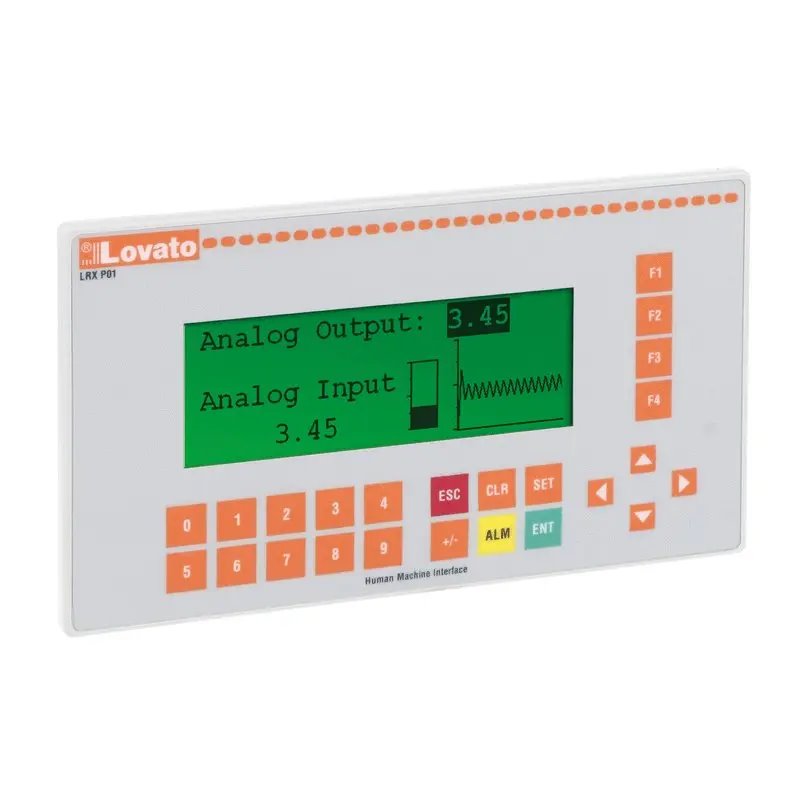
HMI operator panel, 24 VDC, RS232, RS485 Modbus RTU master. HMI operator panel, 24 VDC, RS232, RS485 Modbus RTU master.

MPNs LRXP01, LOVLRXP01
EAN 8013975188514
HS Code 85389091
Country of origin China
Weight 0.48 kg

The product image is for illustrative purposes only.
The country of origin, HS code, and description are provided by the manufacturer and may be subject to change without prior notice. For this reason, PLC-City cannot be held responsible for any discrepancies.
Sold by PLC-CITY® and shipped from Italy

We accept many payment methods: Bank Transfer (SEPA, ACH), Debit/Credit Cards (Mastercard, VISA, American Express, Diners Club, Discover, JCB, UnionPay), PayPal, ApplePay, GooglePay, link by Stripe, Cartes Bancaires, Alipay, Bancontact, blik, eps, giropay iDeal, Przelewy24, WeChatPay.
More information about our payment methods

This product is covered by a 12 Months warranty, valid for manufacturing defects or malfunctions. The warranty does not cover damage caused by improper use or accidental damage.
Learn more about our warranty

Returns are subject to prior authorization and eligible for store credit only. Backordered items are excluded.

View our return policy

USD190.33

Import Taxes Excluded

You must be logged
Sold by PLC-CITY® and shipped from Italy
We are a Specialist Partner of Lovato
Free express shipping to United States
Loader...
View all shipping services
Request a quote to know the delivery date

We accept many payment methods: Bank Transfer (SEPA, ACH), Debit/Credit Cards (Mastercard, VISA, American Express, Diners Club, Discover, JCB, UnionPay), PayPal, ApplePay, GooglePay, link by Stripe, Cartes Bancaires, Alipay, Bancontact, blik, eps, giropay iDeal, Przelewy24, WeChatPay.
More information about our payment methods

This product is covered by a 12 Months warranty, valid for manufacturing defects or malfunctions. The warranty does not cover damage caused by improper use or accidental damage.
Learn more about our warranty

Returns are subject to prior authorization and eligible for store credit only. Backordered items are excluded.

View our return policy

Get your personalized quote now

A dedicated sales representative will assist you to offer the best price and delivery times.

You must be logged

Product information

Description

<h3>Communication accessory for industrial devices</h3><p>The communication accessory adds a data interface for compatible industrial devices. It is used when the panel requires connection to a PC, remote control point, supervision network or programming environment through the supported communication channel.</p><h4>Function in the panel</h4><p>Use the function indicated for the accessory and match it with the installed device before assembly.. In a motor control panel, the accessory must be read as part of the complete assembly rather than as an isolated item. Its value comes from the way it supports identification, pole configuration, mechanical coordination, manual operation, mounting support or replacement of the switching contact path.</p><h4>Installation and maintenance check</h4><p>Before fitting, compare the accessory function with the wiring diagram, the device position and the planned maintenance task. After installation, check mechanical engagement, fixing, marking visibility and freedom of movement of nearby terminals, conductors and operating parts.</p><p>Correct selection reduces ambiguity during panel service and helps keep the relationship between the accessory, the contactor assembly and the control circuit clear. This is especially important in panels with several similar devices, where a small accessory can affect identification, operation or maintenance sequence.</p><p>For maintenance work, compare the removed part with the replacement before modifying the assembly. Check the functional role, the visible marking, the number of poles or contacts when present, the fixing method and the position in relation to adjacent devices. After the operation, repeat the mechanical check and update the panel marking when the accessory is used for identification.</p><p>This final check keeps the assembly readable for technicians and reduces errors during future interventions. It is also useful when the panel includes several contactors with similar appearance but different accessory functions.</p> <h3>Communication accessory for industrial devices</h3><p>The communication accessory adds a data interface for compatible industrial devices. It is used when the panel requires connection to a PC, remote control point, supervision network or programming environment through the supported communication channel.</p><h4>Function in the panel</h4><p>Use the function indicated for the accessory and match it with the installed device before assembly.. In a motor control panel, the accessory must be read as part of the complete assembly rather than as an isolated item. Its value comes from the way it supports identification, pole configuration, mechanical coordination, manual operation, mounting support or replacement of the switching contact path.</p><h4>Installation and maintenance check</h4><p>Before fitting, compare the accessory function with the wiring diagram, the device position and the planned maintenance task. After installation, check mechanical engagement, fixing, marking visibility and freedom of movement of nearby terminals, conductors and operating parts.</p><p>Correct selection reduces ambiguity during panel service and helps keep the relationship between the accessory, the contactor assembly and the control circuit clear. This is especially important in panels with several similar devices, where a small accessory can affect identification, operation or maintenance sequence.</p><p>For maintenance work, compare the removed part with the replacement before modifying the assembly. Check the functional role, the visible marking, the number of poles or contacts when present, the fixing method and the position in relation to adjacent devices. After the operation, repeat the mechanical check and update the panel marking when the accessory is used for identification.</p><p>This final check keeps the assembly readable for technicians and reduces errors during future interventions. It is also useful when the panel includes several contactors with similar appearance but different accessory functions.</p>

Technical specifications

Number of HW-interfaces RS-485
1
Supporting protocol for Modbus
TRUE
Operating temperature
0;55 °C
Voltage type (supply voltage)
DC
Supply voltage DC
24;24 V
Degree of protection (IP), front side
IP65
Number of HW-interfaces RS-232
1
Wall mounting/direct mounting
TRUE
Built-in depth
33 mm
Screen diagonal
4.3 mm
Number of colours of the display
64000
Number of pixels, horizontal
196
Number of pixels, vertical
64
Number of function buttons, programmable
4
Process value representation (output) possible
TRUE
Process default value (input) possible
TRUE
Number of password levels
3
Number of online languages
1
With SW interfaces
TRUE
Width of the front
179.5 mm
Height of the front
101.5 mm
Type of display
LCD
Touch technology
None
With alpha numeric keyboard
TRUE
Number of system buttons
6

Our Company Reviews